Eagle View 360° Camera Systems

Eagle View 360° camera systems with recording

A four-camera visibility system for school buses, transit vehicles, cargo vans, municipal trucks, service trucks, and other fleet vehicles. The system stitches outside camera views into an overhead display while preserving the raw camera recordings for review.

OcLUM Eagle View 360° Specs
  • Rated voltage 12v
  • Minimum illumination, 0.01Lux
  • Working temperature, -20 °C-70°C
  • View angle: 180°
  • Gain compensation: automatic
  • Waterproof IP67
  • Recording storage, USB flash media or Micro SD
  • H.265 digital video encoding
  • 1080p AHD 4 Channel video recording
  • 4 camera stitching for Eagle View display
  • Micro SD and USB file storage capable
  • Easy alignment process for customer programming
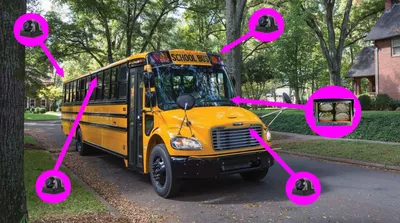
School bus with Eagle View 360 camera placement callouts

Vehicle platforms

The same Eagle View 360 planning applies to the vehicle being built: school bus, transit, cargo van, municipal truck, service truck, or other larger vehicle where camera placement and driver visibility matter.
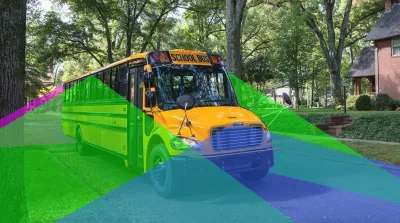
School bus Eagle View 360 camera coverage diagram

School buses

Front, side, and rear visibility planning around school vehicle blind spots and loading areas.
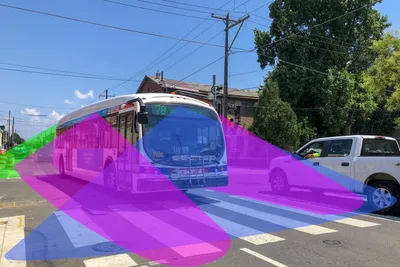
Transit bus Eagle View 360 side coverage diagram

Transit vehicles

Exterior coverage and recording for buses, minibuses, trolleys, and public transportation vehicles.
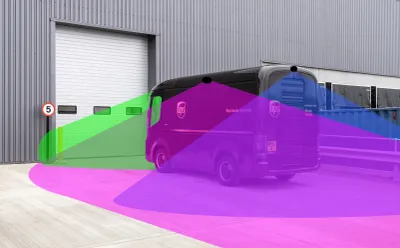
Cargo van Eagle View 360 side coverage diagram

Cargo and service vehicles

Camera coverage for vans, service trucks, and commercial vehicles that need better surround visibility.

Cameras, Display & Recording
  • Display easily mounted for viewing in the driver's compartment.
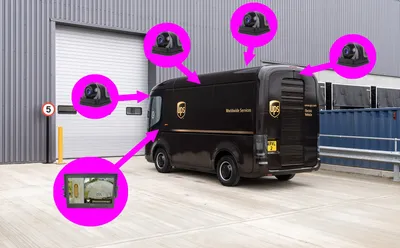
  • 4 discreetly mounted cameras mounted outside of the vehicle cab.
  • Recording of 4 raw video images.
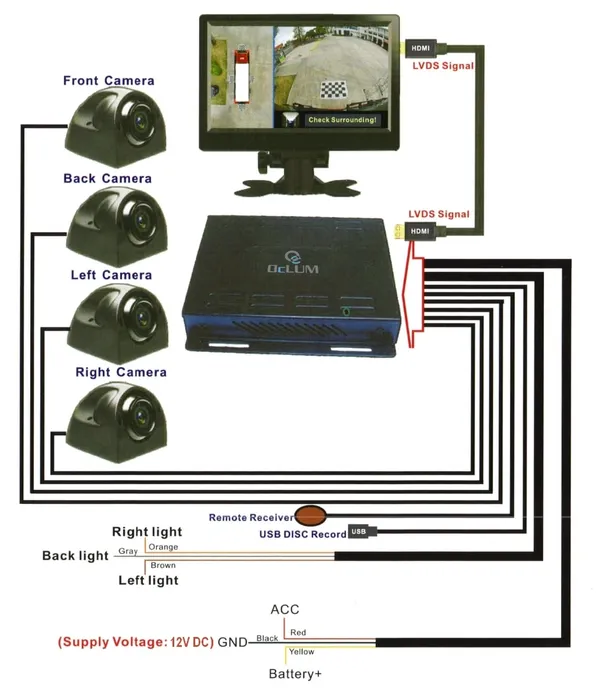
Eagle View camera display and recording kit wiring layout
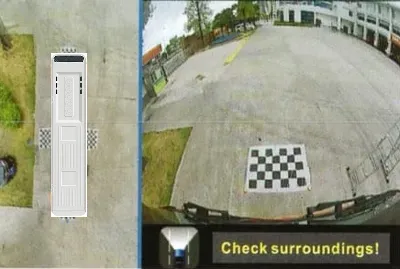
Stitched overhead display view from Eagle View cameras

4 Camera Image Interpolation

  • Images from the 4 cameras are stitched together and displayed to simulate an overhead view of the vehicle.
  • This system is designed for larger vehicle platforms where front, rear, and side blind spots need a combined visibility view.
  • High mounting allows for the best view and recording.

System activation

  • The system can be activated with vehicle ignition or kept on constant record as a security device.
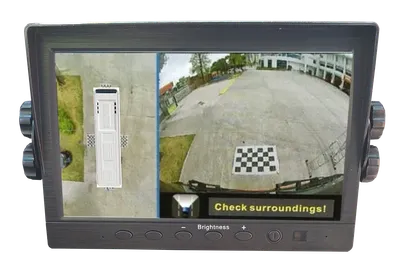
Driver display showing surroundings prompt

Robust Display

  • 7-inch high-definition display (other sizes available).
  • Screw knob adjustment to lock in the display position.
  • Metal mounting bracket to securely mount the display to the vehicle.
  • Brightness adjustments for the driver.
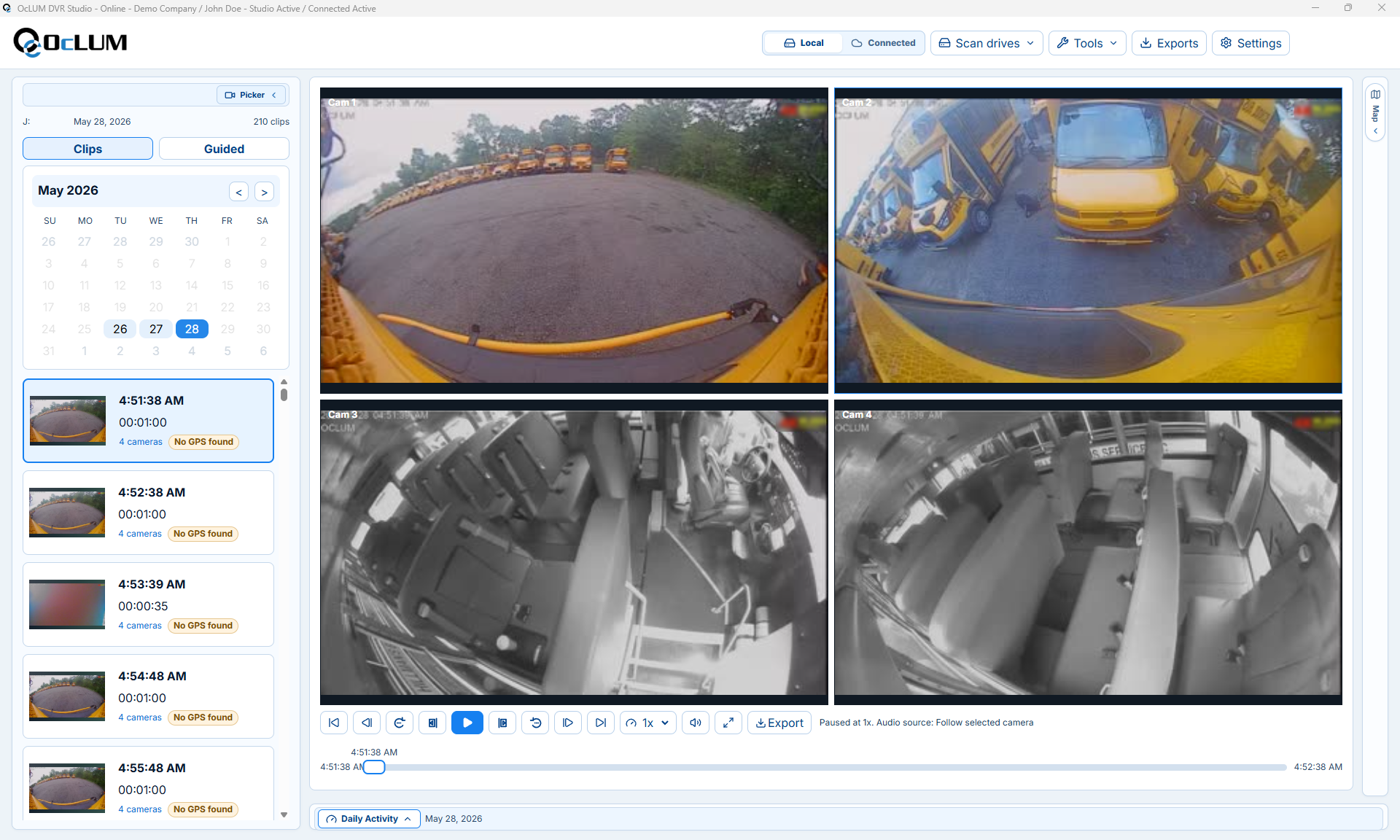
Eagle View four-camera viewing software screen

Simple Viewing Software

  • The included viewing software was designed to be powerful yet simple.
  • Most functions can be performed with less than three clicks of the mouse.
  • 4 camera recording for review and playback.

4 Direction camera switching

  • Can hook up to activate side and back cameras on display to show turning or reversing.
  • Optional push buttons or switching to activate individual cameras.

Easy installation

  • The system can be installed and operational in only a few hours.
  • Simple instructions and wiring allow for a non-intrusive install that can be removed if needed.

Insurance

  • The driver has another view of loading pedestrians.
  • The surroundings can be verified before driving away.
  • Drivers have evidence if their vehicle was tampered with or damaged while in use.
  • Proof and quick playback provide law enforcement and insurance companies with important information.
Cargo vehicle Eagle View 360 camera placement callouts

Plan Eagle View 360° around the vehicle.

OcLUM can confirm camera mounting, display placement, recording storage, activation inputs, and review workflow before the system is installed.